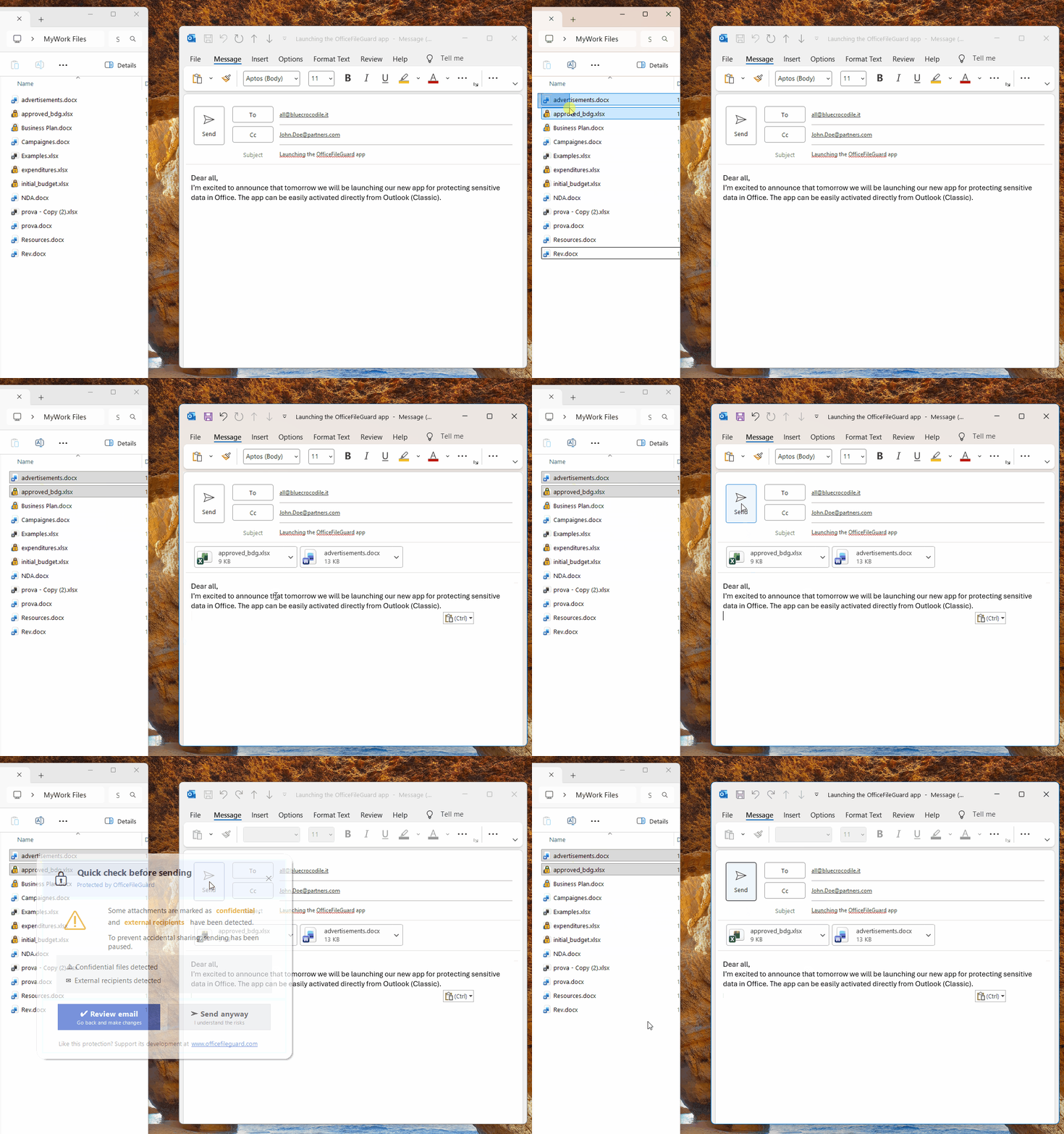
1. Email blocked
When you try to send a confidential file to an external recipient.

2. Mark files as confidential
Right-click on any Office file and mark it as confidential.
OfficeFileGuard automatically blocks emails containing confidential Office files when sent to external recipients.
Works with Outlook classic (desktop) — new Outlook & web version coming soon.
Stay safe. Stay focused.
> winget install BlueCrocodile.OfficeFileGuard
When you try to send a confidential file to an external recipient.
Right-click on any Office file and mark it as confidential.
It only takes one click to send a confidential document to the wrong person.
And when it happens… it's already too late.
It happened to me. More than once.
That's why I created OfficeFileGuard: to eliminate this risk completely.
Right-click → "Mark as Confidential". A lock overlay appears on the file.
Write your email as you normally do.
If external recipients are detected, sending is blocked and you're alerted.
OfficeFileGuard runs quietly in the background and helps you make safer decisions before you hit send.
Download and use OfficeFileGuard without any limitations.
If you realize it helps you avoid even one serious mistake, the price is symbolic:
If you help by suggesting improvements and new features, it's free for you. Forever.
| Suggestion | Votes | Status | Your vote |
|---|---|---|---|
| Loading suggestions... | |||
Suggest a new feature or improvement. Verify your email to vote and submit suggestions.